



A sequencer that plays like a board game. Firmware for the M-VAVE FM-1.
⚠ Install at your own risk. RoboSeq runs on a real FM-1, and every change to it is built and tested on a computer and in an FM-1 emulator. It is still new, so know the way back (below the Install button) before you install.
Testers wanted. RoboSeq has played on one FM-1 so far. If you have one and know how to restore it, a report from yours helps, above all with another flash chip or stock firmware. There is a half-hour checklist for the first install. Afterwards, open an issue on GitHub and tell us how it went: what worked, what didn't, what the screen showed and how it sounded.
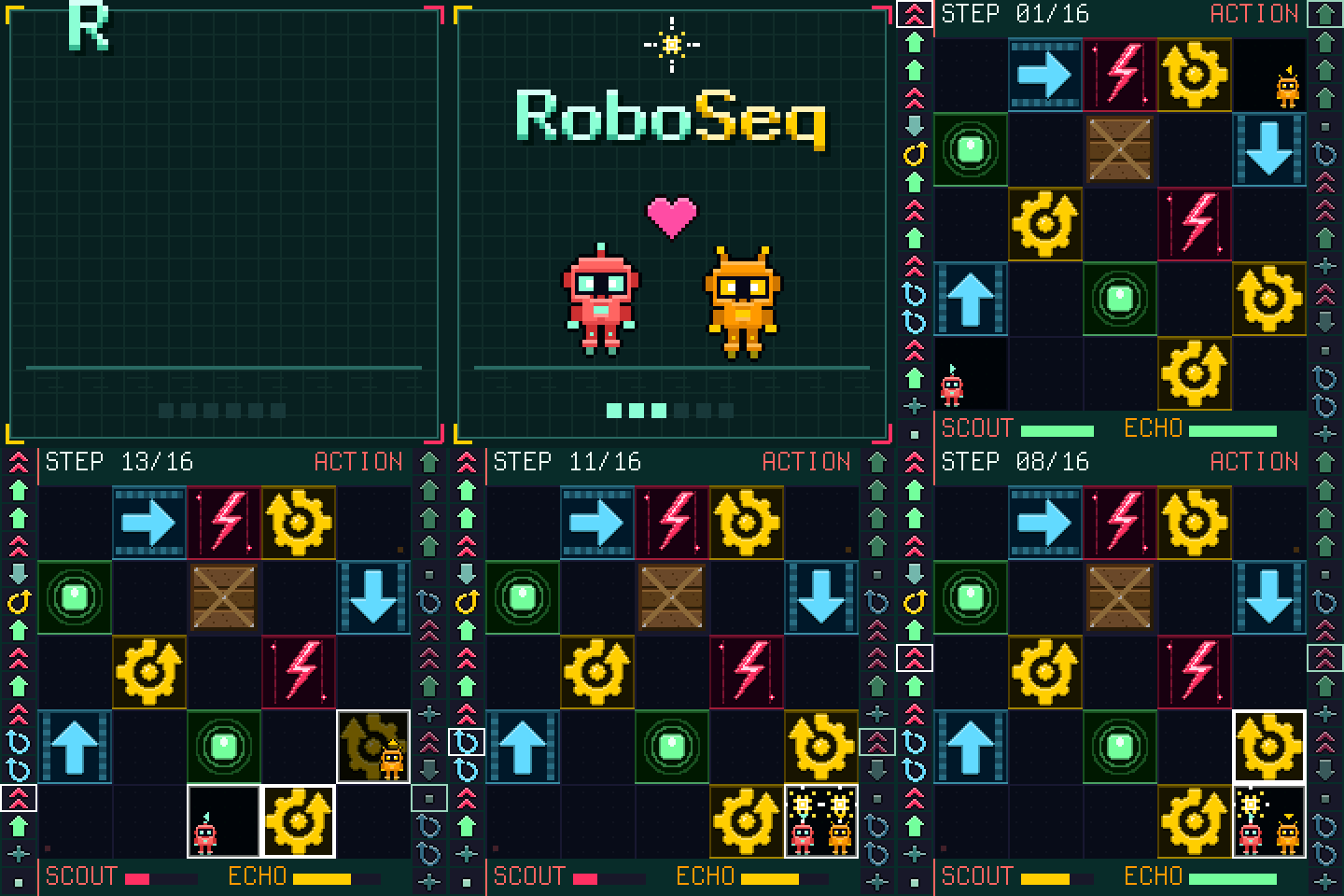
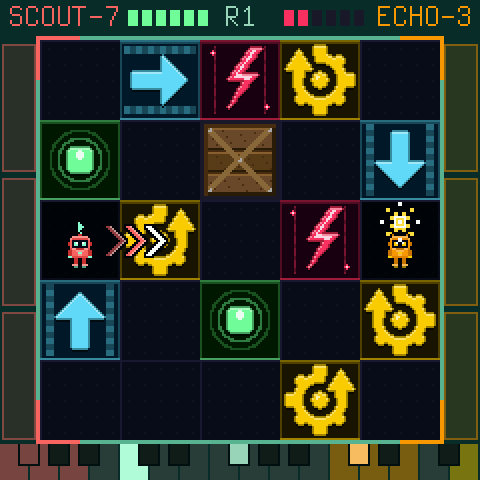
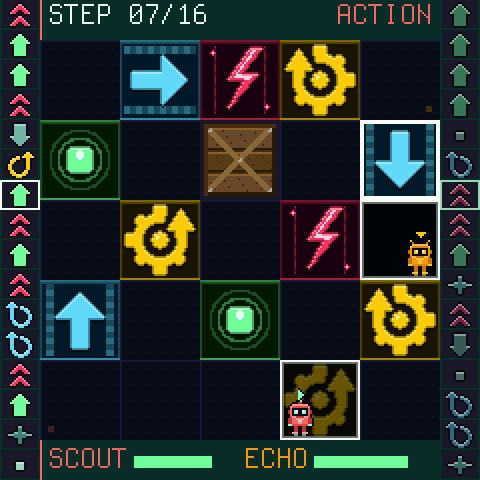
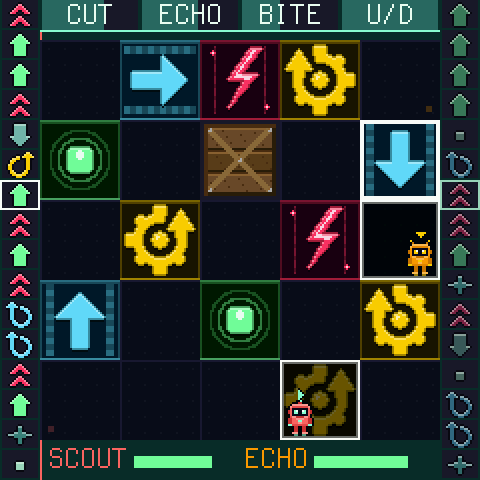
Two robots, Scout-7 and Echo-3, move around a 5 × 5 board of conveyor belts, zap rails, rotators, pulse pads and crates. Each robot follows its own program of moves, and everything they do becomes music: where they go, what they ride and what they bump into. You play RoboSeq by changing things while it runs. Edit their steps on the white keys, type in a new program, change the board, give a robot a one-off nudge with the black keys, or play a solo over the top. Or give a friend the other end of the keyboard and control the robots yourselves, in a battle on the beat.
 Hear it
Here is RoboSeq playing its default song, once in each of its two engines. Nothing is touched: the robots just run their programs. The recordings come from the firmware's own code, run on a computer. Click the picture under a demo to jump to that point.
You switch engines with SELECT on the GLO page. BAND is the default. ORIGINAL is tested against the browser version: all 88,120 notes in 36 test runs match.
 Play it here
This is the firmware itself, compiled for the browser: the same code as on the FM-1, with its screen, its sound and its controls. Press Start, then PLAY. Turn a knob by dragging it up or down; once you have clicked it, the mouse wheel and the arrow keys turn it too. PRESETS changes the board and ALGORITHM the chords, from any page, while the music plays. Hold a page's button (HOME on HOME, SEQ on SEQ) and the screen shows what its keys do, as on the FM-1; each key you press says its name at the top.
Press Start: the firmware loads when you do.
You can also run the downloaded firmware file in fm1-emu, an FM-1 emulator for the browser. RoboSeq started out as an instrument in the browser, and that original is still the reference for how the firmware should sound and behave: play the original at jhf.no.
 Install
- Open this page in Chrome or Edge on a computer (they can talk to the FM-1 over USB MIDI).
- Connect the FM-1 directly to the computer with a USB data cable, and switch it on.
- Close other apps that use MIDI, tick the box, press Install and allow MIDI when the browser asks.
Loading the firmware…
Log
This page installs the latest build of the main branch, which has passed all its
tests. Don't unplug the cable while it is writing (about a minute). If an install is interrupted, the FM-1 stays in
update mode: plug it back in and press Install again to finish. If the FM-1 doesn't start at all, hold
OCT− while you switch it on. It then starts in its USB rescue mode, where installing always works. RoboSeq
works with both flash chips FM-1s carry, the newer UC25HQ80 too. It keeps its project in its own part of the flash
memory, and never reads or changes another firmware's projects or samples. To go back, install any firmware from the FM-1 Firmware Hub, or
the official one with M-VAVE's own updater, M-UPGRADE. Installing firmware is at your own risk.
 Meet the robots
Scout-7
The red one. Scout-7 starts in the bottom-left corner, facing right, and its program is shown down the left side of the board. In BAND it plays the main tune, which comes back every bar. In ORIGINAL it plays a note on every step, depending on where it stands.
Nudge it with F#3 G#3 A#3 C#4 D#4. Each key replaces its next move with one of these, just once, and then it carries on with its program.
 turn Lmove
 turn R
 dash
 ping
In battle mode it has no program, and a player controls it: F3 F#3 G3 A3 to move, C4 to strike.
Echo-3
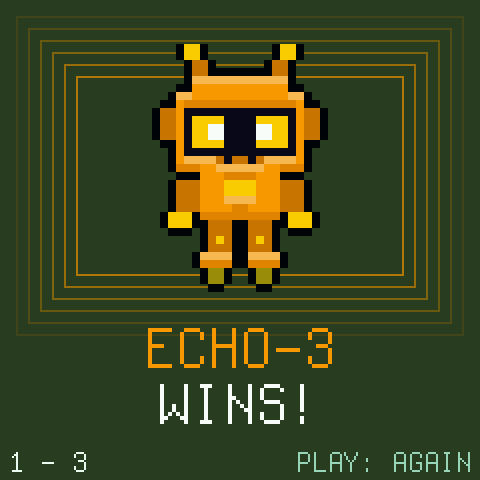
The orange one. Echo-3 starts in the top-right corner, facing left, and its program is shown down the right side of the board. In BAND it answers Scout-7, then sings along with it. In ORIGINAL it plays a harmony to Scout-7 on every step, plus the bass.
Nudge it with F#4 G#4 A#4 C#5 D#5. Each key replaces its next move with one of these, just once, and then it carries on with its program.
 turn L
 move
 turn R
 dash
 ping
In battle mode it has no program, and a player controls it: C5 C#5 D5 E5 to move, G5 to strike.
The last black key, F#5, swaps their programs: Scout-7 takes Echo-3's and Echo-3 takes Scout-7's. A nudge only lasts until the end of the loop. Then the robots go back to their starting pads and follow their programs again.
 Their world
The moves a robot can make, one for each step of its program, as they look on the screen:
Moveone tile forward, unless a wall or a crate is in the way Backone tile back
 Turn La quarter turn left
 Turn Ra quarter turn right
 Dashtwo tiles; landing on the other robot hits it
 Pinga pulse forward that heats up the other robot
 Waitstands still and lets the tiles play
The tiles, which you can place with the board builder while it plays:
Beltcarries a robot along Rotator Lturns a robot left
 Rotator Rturns a robot right
 Zap railheats a robot upPulse padcools a robot down
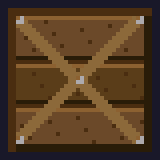 Crateblocks the way
A robot that reaches heat 6 burns out and comes back in the farthest corner. If both robots stay on the same tile for two steps in a row, they fall in love and a coin sound plays. In BAND every board sounds different: each has its own bass groove, and its tiles shape the notes. Pulse pads give long notes with vibrato, zap rails short hard ones, belts arpeggios and rotators pitch bends, and crates cut a note off.
Playing it
| PLAY | Starts the board from the beginning, or stops it. It flashes in time with the beat. |
| White keys | On HOME, these are the selected robot's steps: press a key to change its step to the next move. SELECT chooses what the keys change: the move, its modifier (steady, bright, low, wobble, glitch) or its chance of playing (100, 75 or 50 %). |
| Black keys | Nudge the robots: five keys for each robot, and one to swap their programs. |
| EDIT | Chooses whose program is on the white keys: Scout-7, or Echo-3 when it is lit. |
| SEQ | Shows both programs as step cards. Type moves in with the keys laid out as A W S D, as in a game. |
| SEL | Voice Mod, which sets the chords. Press it again for Seq 2, the arrangement. In BAND a random roll picks one of 73 named chord progressions, and FOLLOW picks a new one each time the last one comes round. |
| ENV | All the boards, with the next one framed until the loop comes round. Press it again for the board builder, where you place tiles under the robots while they move. |
| LFO · FX | The drums, one row at a time on the white keys; and the mixer, with the levels on KNOB1. |
| GLO | Tempo, ticks per move, loop length and speed on the knobs. A program as long as the loop grows and shrinks with it. SELECT switches the engine, and white key 16 starts battle mode. |
| REC · ARP | All 27 keys play a SID-style lead over the robots, with a ping-pong echo in time. ARP turns a held chord into an arpeggio. |
| SAVE | Lights up when there are unsaved changes. RoboSeq saves by itself once it is stopped; press SAVE to save right away. |
| K1–K4 | The values on the current page, shown on the screen. Turning them never stops the music. On HOME, K1 is the selected robot's program length, K2 rolls it a new program and K3 rolls both. |
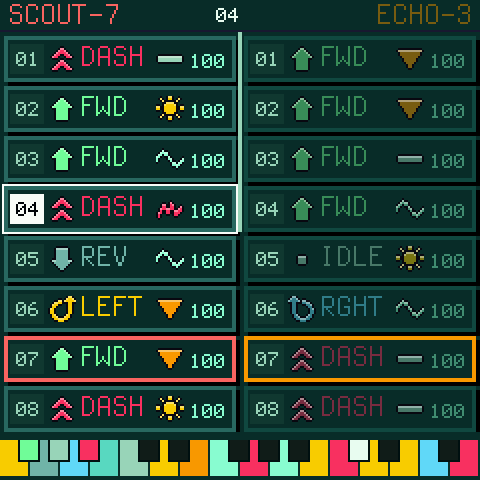
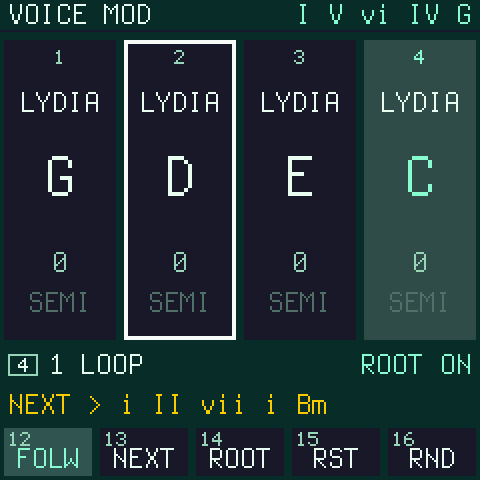
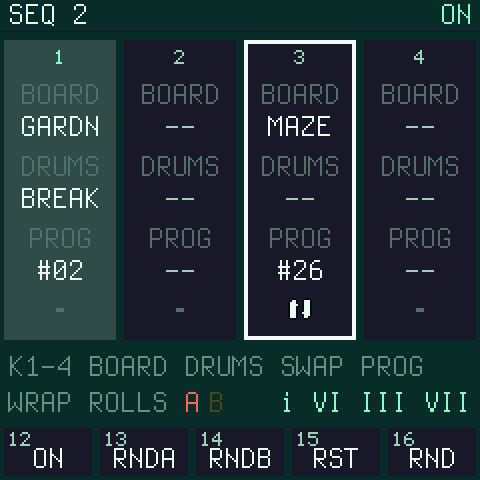
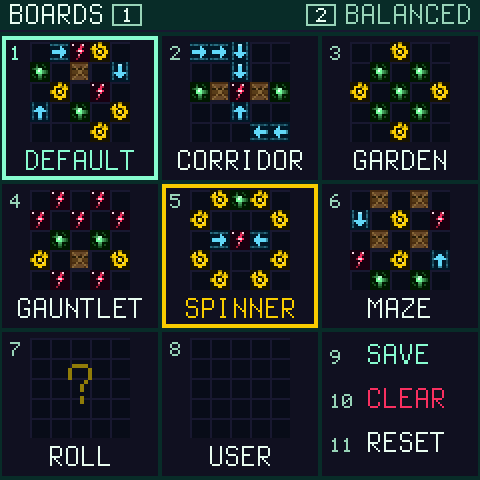
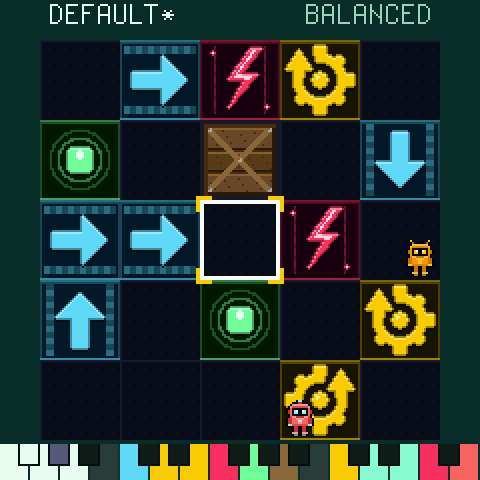
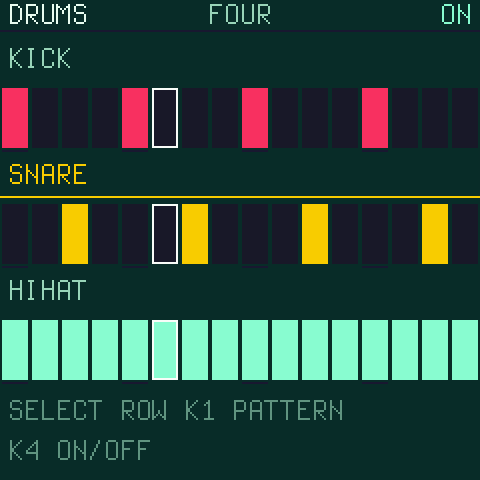
Every control on every page is listed in CONTROLS.md, and the README has seven lessons that start from the very first key press.
 The battle
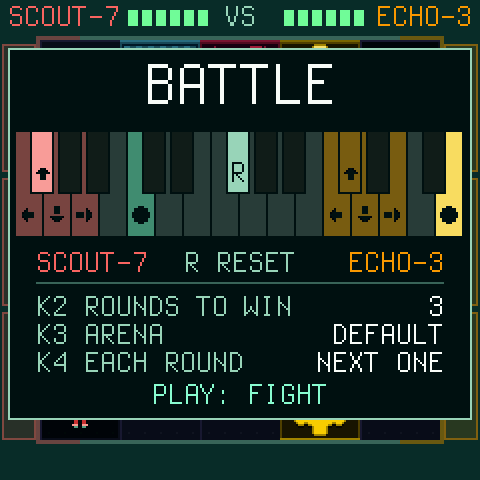
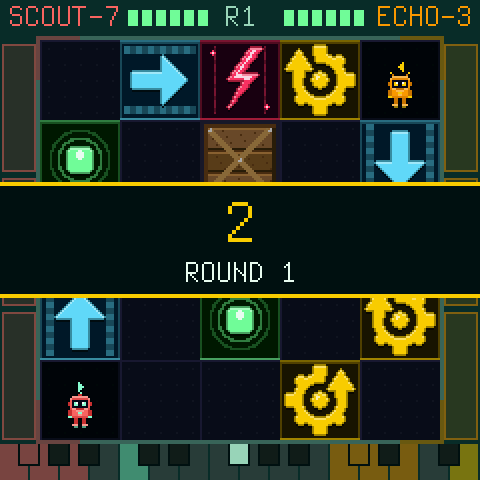
Press GLO, then white key 16. Each player takes a robot and one end of the keyboard, and there are no programs: hold a direction and your robot takes a step that way on every beat of the music. Strike when the other robot is in reach. A hit adds heat and knocks the two apart, and a robot that reaches heat 6 burns out and loses the round. If a round goes on too long, the arena starts to overheat from the edges. PLAY counts in 4, 3, 2, 1 on the beat, and the first to win the set number of rounds (1 to 9, set with K2) wins the match.
| Left | Up | Down | Right | Strike | |
| Scout-7 | F3 | F#3 | G3 | A3 | C4 |
| Echo-3 | C5 | C#5 | D5 | E5 | G5 |
F#4, in the middle between the players, restarts the match. When the other robot is out of reach, the strike key plays a lead note from the chord instead, depending on where you stand.
More
- The source code on GitHub, with all the details of how it is made: the two engines, the controls and the design decisions.
- Download the firmware file (
.fwsc) to install it another way, for example withtools/fm1_install.py, or to run it in fm1-emu. - The first-install checklist: what to check on a real FM-1, and what to report back.
- More FM-1 projects by the same maker: VaveHero, Star Distroyer, FM-1 Clock and SkurkyMello.