
ORBITRIX
An orbital groove engine for the M-VAVE FM-1
Every rhythm is an interval, and every interval a rhythm.
In development. It runs here exactly as on the FM-1 (the same code, compiled to WebAssembly), and it builds for the FM-1 and passes its tests, but it has not yet been tested on a real FM-1.
Play it here
The firmware itself, the same C as on the FM-1, on a little web FM-1. Press Start, then PLAY: KITTEN is waiting. PRESETS turns to the others; SEL + HOME makes a new one in a mood. New to it? Open the tutorial under it.
Press Start: the firmware loads when you do.
▶ Tutorial: a little song in ten steps
Ten minutes, on the FM-1 above (or your own). Lost at any point? Hold any button a second: the screen says what it does. On this page, Shift (or a click on SEL) is SEL, Space PLAY, Enter REC, Esc HOME.
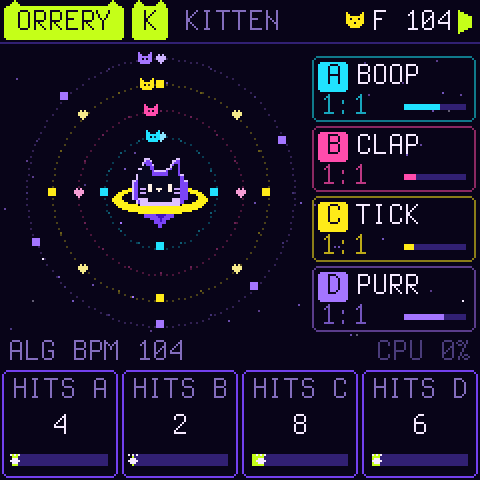
Start, and PLAY
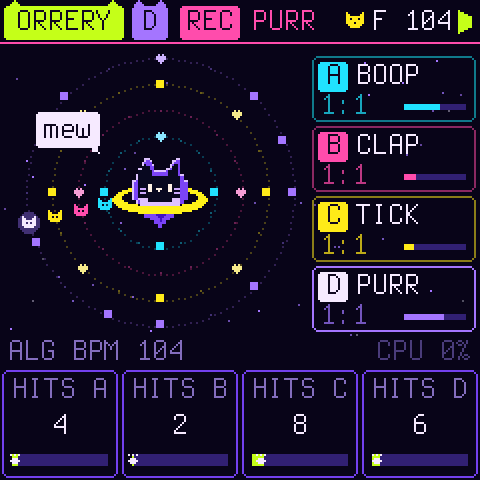
Press Start, then PLAY: KITTEN plays, four tracks going round Astralica, each its own colour (A–D). On HOME the knobs K1–K4 set how many hits each has; with SEL held, how loud.
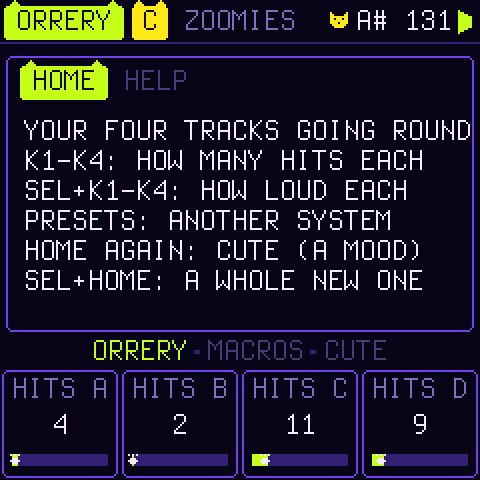
Ask it
Hold HOME a second: a card says what it does. Every button has one; hold SEL alone and you get all its combinations. It starts SIMPLE, the friendly pages only, so there is little to get lost in.
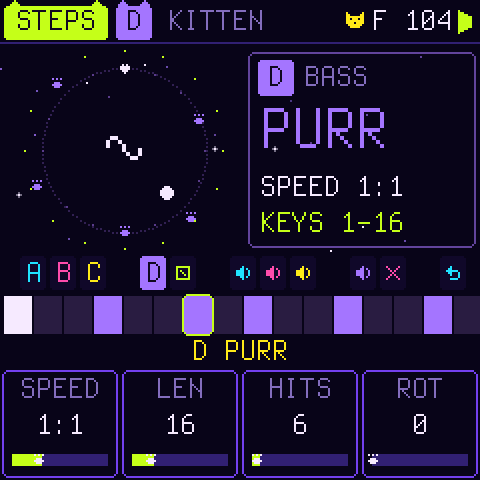
A beat
SEQ opens STEPS. The lower black keys pick the track, the white keys are its 16 steps (a tap: rest, hit, accent). The black D# is IDEA: a new pattern as the sound wants one, coming on the next bar. The top F# undoes it.
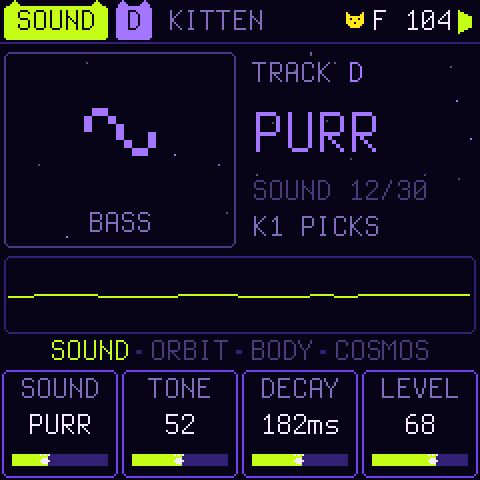
A sound
EDIT opens SOUND: turn K1 through thirty sounds by name (BOOP, PURR, GLASS, BELL, STAR, MEW …). K2 is its tone, K3 its decay, K4 its level. SELECT moves to another track.
Play along
The keys play the track in focus (the chip at the top), or the keys' own sound (K). In KITTEN they play IN KEY: the white keys are the scale, C is the sun, and no key is wrong.
Record a melody
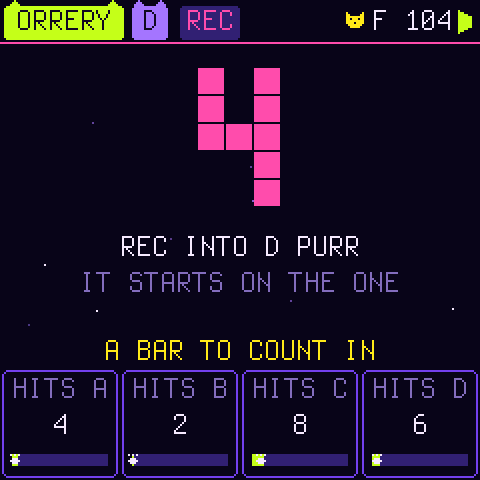
Stop, and tap REC: it waits (REC blinks at the top). Press PLAY: it counts a bar in, 4 3 2 1, then what you play is written into the track, on the nearest step, the very note you hear. Or skip the count: the first key starts it all.
Keep it, or take it back
It goes round: play over it, lap after lap. PLAY stops it and keeps the take. Not happy? SEL + OCT− undoes the whole take (again: it comes back).
Catch what you just played
Played something lovely without REC? Hold REC half a second: the last lap of what you played is caught into the track.
Something new
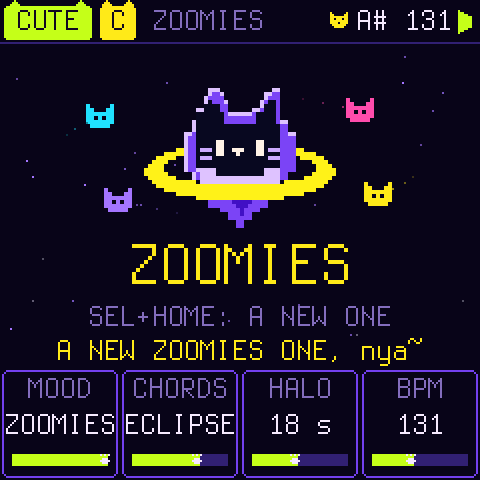
Press HOME again: CUTE. SEL + HOME makes a whole new patch in the mood (SLEEPY, PLAYFUL, SPARKLY, ZOOMIES: K1), on the next bar, everything in tune with itself. Or turn PRESETS for the twenty systems: MILKY WAY is a lullaby.
Space, and keep it
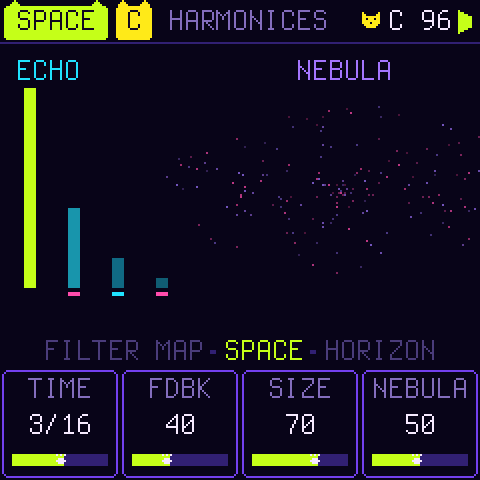
FX opens SPACE: the echoes and the nebula; with SEL, K2 is its DECAY, up to two minutes. SAVE, PRESETS to pick U1–U8, SAVE again keeps it. Ready for more? SEL + SAVE wakes the deep pages.
How to play it ▾
The legend of Astralica

In the beginning the universe was silent. Then came Astralica. She grew, and grew: one big ass cat. She ate all the planets, and in her tummy they changed; and when she pooped them out, they formed the ORBITRIX. Now her song rings through the multiverses.
Seventeen seconds, drawn and scored by the firmware itself (its own screen and engine, filmed on a computer): a drone, a chirp as each planet falls in, her tummy glowing and gurgling, then plop, plop, plop, plop: four little cosmic swirls become the kittens that fly out to their rings, and each ring sings as its kitten arrives; last her meow, echoing from universe to universe. The kittens are the planets that go round her on the FM-1.
Little songs
Two of the systems, each arranged as a little song by the firmware's own engine: the chords alone in their halo, then the parts come in one by one, a break where the keys sing the chords' own notes, all of it again, and the tail ringing out.
How it works
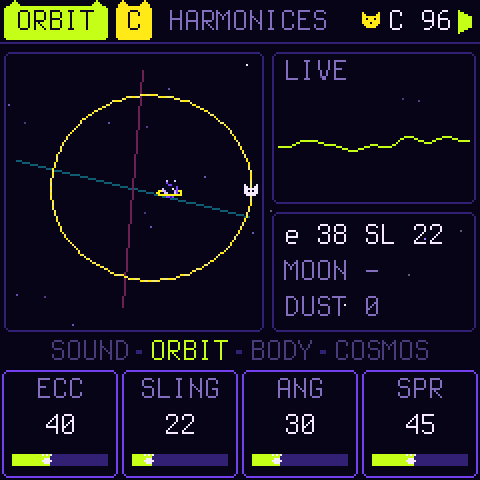
Orbit synthesis
The voice is a planet on a Kepler ellipse, and you hear where it is. ECC brightens it (its spectrum is Bessel functions, as FM's), SLING hears its speed, L and R are two views of one orbit, a moon adds harmonics or bells.
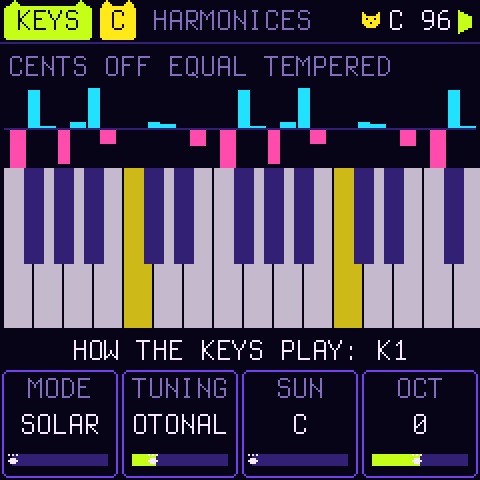
Gravity
Everything is tuned to the sun: just and overtone scales, keys retuned to their ratio, or the sun's harmonics themselves. Above 50 % a note falls into tune on a spring, overshooting and settling.
The orrery
Four rings step at ratios to a 16th (1:1, 5:4, 3:2, 7:4 …) on a clock that makes them meet exactly. Where they meet, the hits are accented. Logic between them (AND, NOT, XOR, CONJ), mutation, spirals.
A groove in a minute
Pick a track with a black key, tap its steps on the white ones, or ask for an IDEA: a pulse on the beat, hats between, a bass on the chord's root, a melody on its notes, coming on the next bar. UNDO takes it back.
Sounds by name
Thirty, from BOOP, SQUEAK and PURR to PAW, TOY, GLASS, STAR, MEW and COMET, each balanced and in its own register; TONE, DECAY and LEVEL under them, and the whole orbit beneath that.
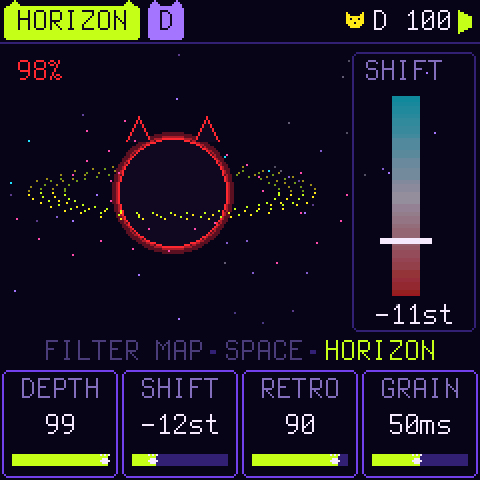
The strange part
TIDE: the planets pull on each other (FM between the voices, on the sun's harmonics). INSPIRAL: merger chirps. BEAM: pulsar pulses. HORIZON: the music falls into a black hole, redshifted, frozen, partly backwards. And under it all the background radiation: chords in the tuning's own notes, voice-led, never gliding, all wet in a halo of their own; TIRED LIGHT: echoes that come back a just interval redder each time.
Install
- Open this page in Chrome or Edge on a computer (they can talk to the FM-1 over USB MIDI).
- Connect the FM-1 directly to the computer with a USB data cable, and switch it on.
- Close other apps that use MIDI, tick the box, press Install and allow MIDI when the browser asks.
Loading the firmware…
Log
This page installs the latest build of the main branch, which has passed all its tests
(download the .fwsc). Don't unplug the cable while it is writing (about a minute). If an
install is cut off, the FM-1 stays in update mode: plug it back in and press Install again to finish. If the FM-1
doesn't start at all, hold OCT− while you switch it on: the USB rescue, where installing always works. Any
firmware in the FM-1 Firmware Hub installs over ORBITRIX, and back.
Installing firmware is at your own risk.