
A generative step sequencer and synth for the M-VAVE FM-1
Sixteen steps at its heart · a band around it · fifteen styles to roll · performance on the keys
⚠ Not yet tried on a real FM-1. SkurkyMello is built and tested on every change, in CI, on a computer and in the FM-1 emulator, but it has not run on an actual device yet. Install it at your own risk.
Testers wanted. Have an FM-1, and know how to get it back (below the Install button)? Be the first to play SkurkyMello on one, following the first-install steps, and tell how it went in an issue on GitHub: what worked, what did not, what the screen showed and how it sounded.
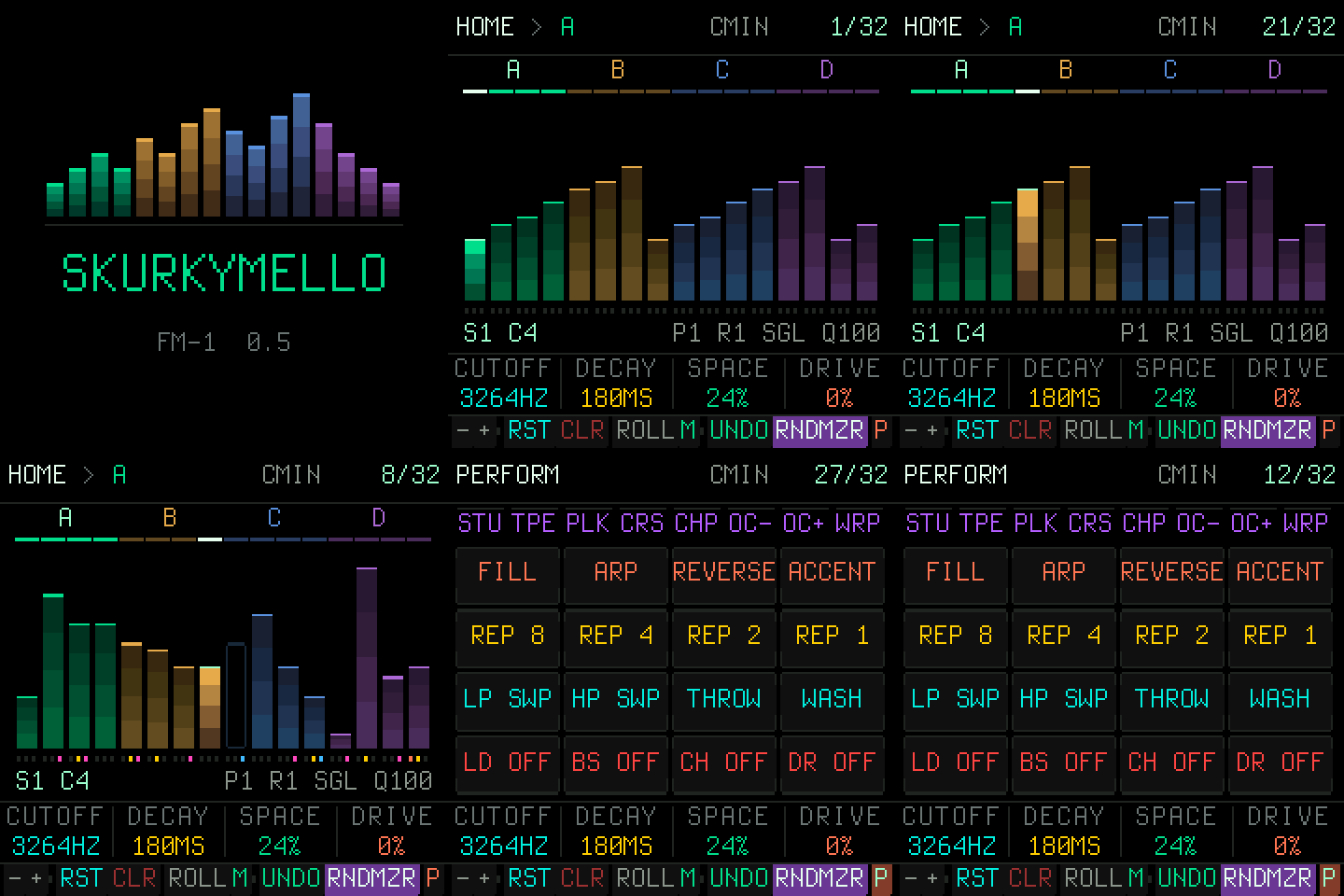
SkurkyMello turns the FM-1 into a melody sequencer with a band around it. Sixteen steps at its heart, cut into segments, with a lead voice of filter, grit and a second oscillator; a bass with a line of its own, a chord layer, a four-voice drum kit and four sample slots; delay, reverb and distortion. DOT and EVOLVE keep it moving, RNDMZR rolls happy accidents in fifteen styles, and PERFORM puts stutter, tape stop, repeats and sweeps on the keys. Every sound but your own samples is synthesised on the FM-1 itself.
A WORD FROM ME
This started as an HTML project where I tried to build my dream sequencer, inspired by the way I work on my modular synth. After working on it for a few months it has since become the prototype I use most. The FM-1 version is my first attempt at porting an idea to actual firmware, so please be kind.
This is a melody-focused firmware. The main sequencer is its heart. The chords and drums were only added for the FM-1 version, and I personally actually prefer using it without them.
Scope creep got the better of me, by the way, so there are a lot of menus on a very small screen. Sorry about that!
Anyway, enjoy.
- Joakim
Hear it
One take, played the way one person plays one FM-1: the panel's keys held and tapped in time, the knobs turned. It is rendered on a computer by the firmware's own code, the same C the FM-1 runs: its pages, its sequencer and its sound. The picture under it is its spectrum, low to high, from start to end: tap it, or a section below it, to jump.
Play it here
The firmware itself, compiled for the browser: the same C the FM-1 runs, its sound, its screen and its lights, on a panel laid out as the FM-1's. Turn it on and play the keys with the mouse or a finger: the white ones are the steps, the black ones the action rail. Drag or scroll a knob to turn it; Space is PLAY. Shift-click a key or a button to keep it held (SAVE held is the slots, a section held its pages on the white keys, RNDMZR held the RANDOM page). What SAVE keeps stays in this browser.
POWER ON starts it: the firmware loads (half a megabyte) and plays here.
Install
- If another firmware's projects on the FM-1 matter to you, back up its flash first (M-Flasher or MvaveFM1Unbricker): SkurkyMello starts on a new project, and its saves may overwrite another firmware's.
- Open this page in Chrome or Edge on a computer (they can talk to the FM-1 over USB MIDI).
- Connect the FM-1 directly to the computer with a USB data cable, and switch it on.
- Close other apps that use MIDI, tick the box, press Install and allow MIDI when the browser asks.
Loading the firmware…
Log
Do not unplug the cable while it writes (about a minute). If an install is cut off, the FM-1 stays in update mode: replug it and press Install again, and it finishes. If the FM-1 does not start at all, hold OCT− while switching it on: it starts in the USB rescue, where an installer always works. To go back, install any firmware from the FM-1 Firmware Hub, or the official one with M-VAVE's own updater M-UPGRADE. Both FM-1 flash chips are supported. Installing firmware is at your own risk.
A first tour
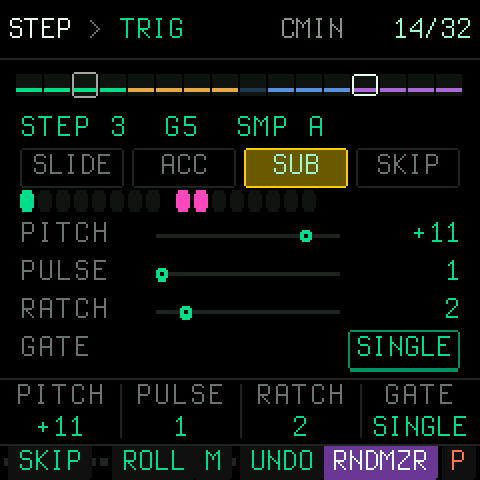
The instrument
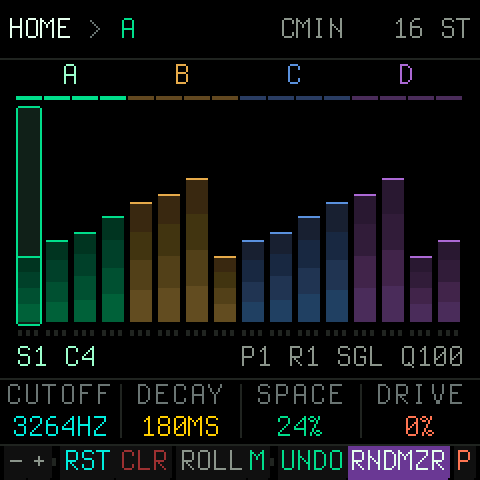
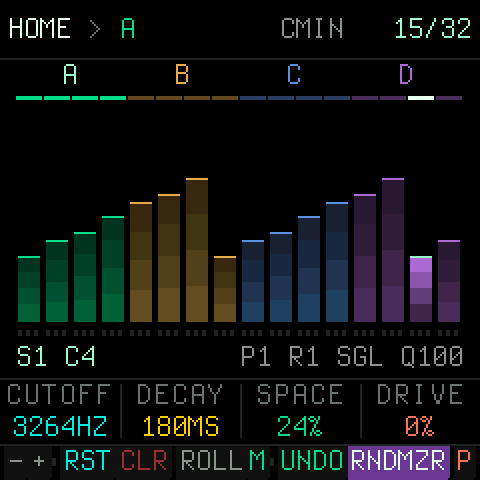
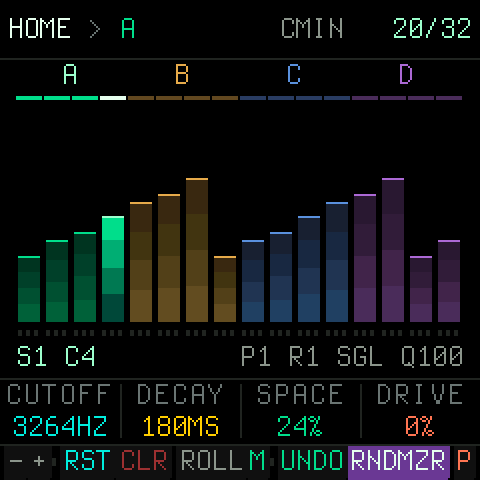
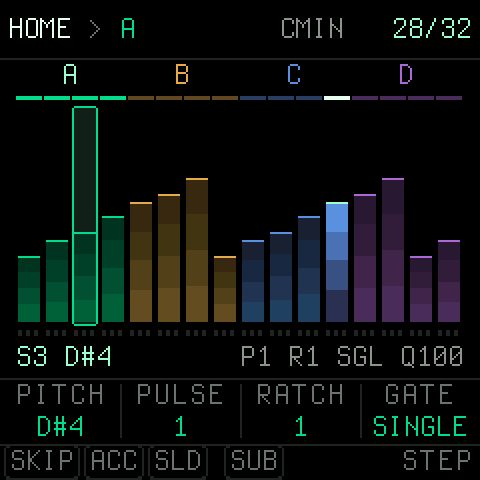
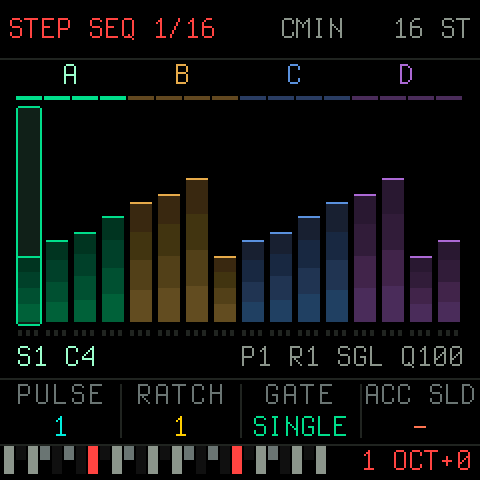
THE SEQUENCE · sixteen steps, the heart
- Each step a pitch in the key, its pulses, ratchets, a gate (SINGLE, MULTI, HOLD, REST), an octave, a chance, a sample and its own wave; flags for accent, sub, slide and skip.
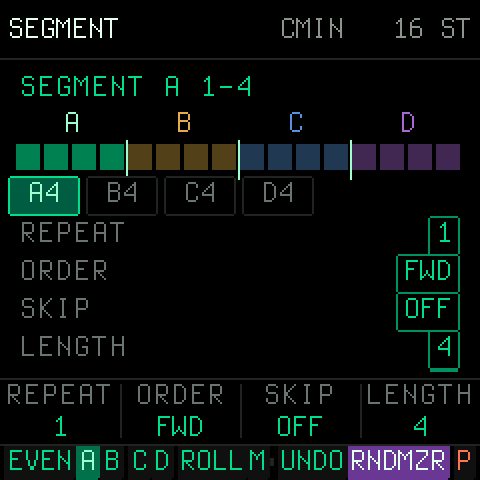
- Segments A–F, each with its repeats, its order (forward, reverse, ping-pong, random) and a skip.
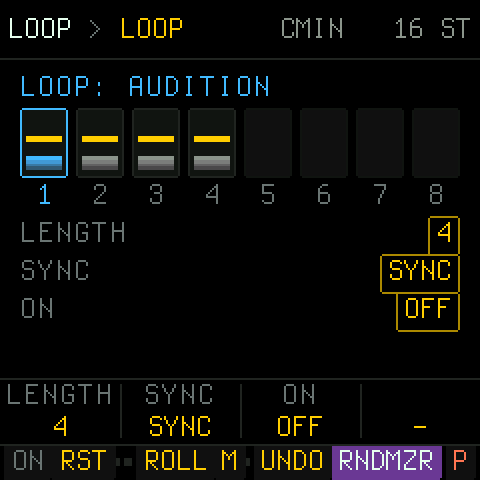
- The loop cycle holds up to eight positions, a progression over the loop that never leaves the key; the slot sequence plays the 16 pattern slots in a row.
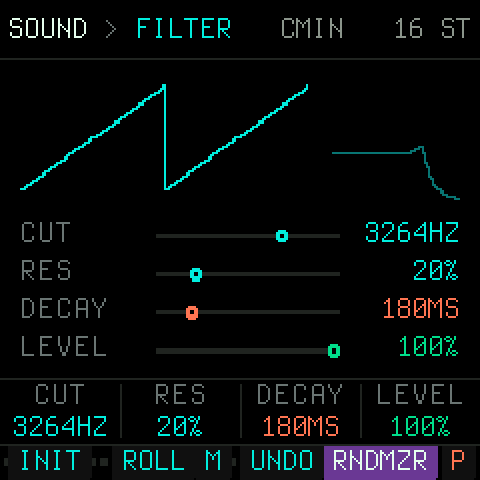
THE LEAD · a mono synth with character
- Saw, square, triangle, sine or pulse through a 24 dB filter (LP, HP, BP, NOTCH), an ADSR and an LFO.
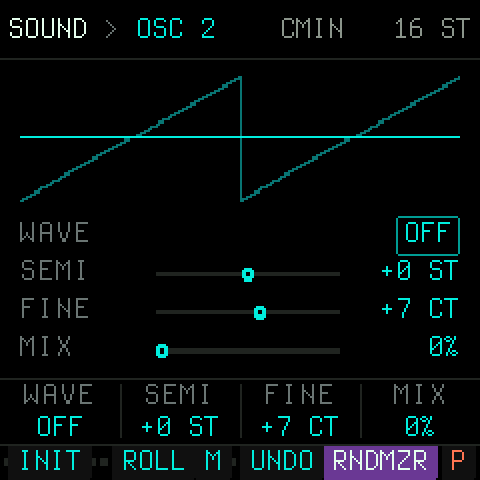
- A follower sub an octave or two under it, grit (noise, noise FM, unison with detune), a second oscillator with sync and FM, saturation, a MOD envelope, velocity and key tracking.
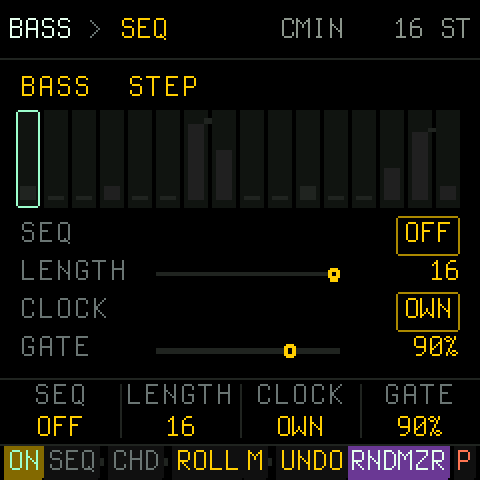
THE BASS · a sub voice with its own line
- Step, euclidean, matrix, register or drone, or BASS SEQ: 16 steps of its own with tone, octave, glide and accent.
- A resonant filter with its envelope, drive; CHD moves the line with the chords' root, ROLL writes a line under the sequence.
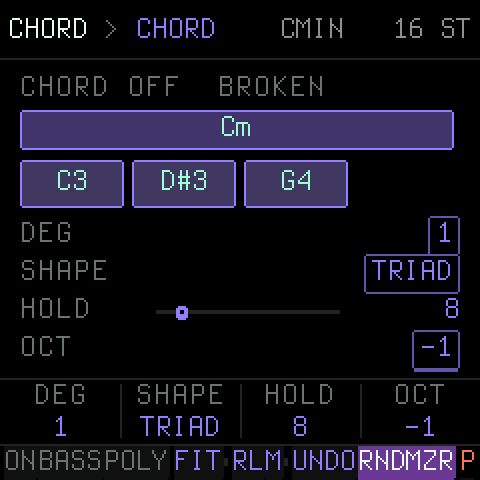
THE CHORDS · a chain in the key
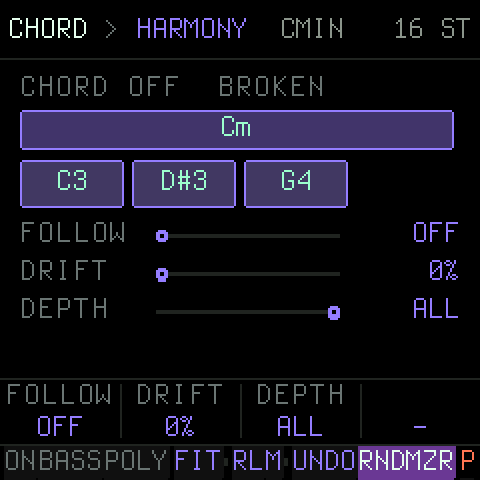
- Up to eight chords: degree, shape, inversion, spread, octave. FIT makes the chain from the bass line, so the bass is always in the chord.
- SUB MELLO, one voice playing the chord's tones broken, walking or arpeggiated, or POLY, four voices with a Juno-like chorus and strum.
- HARMONY: the lead's notes follow the chord, and DRIFT lets the chain evolve and still come home.
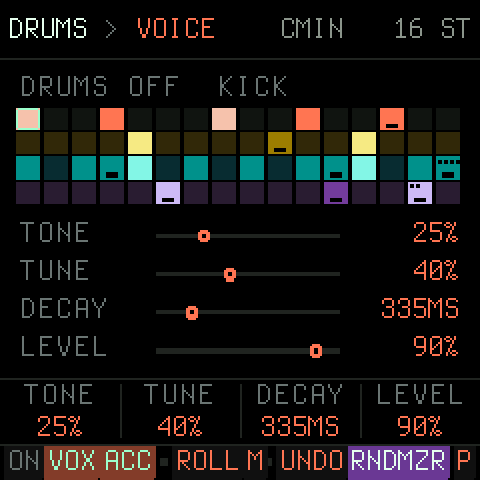
THE DRUMS · four voices, and samples
- Kick, snare, hat and a glitch voice on up to 32 steps, with accents, per-step locks, rolls, chance and swing.
- A length and a direction per voice for polyrhythms, a kit drive with fold, and DUCK: the kick's sidechain.
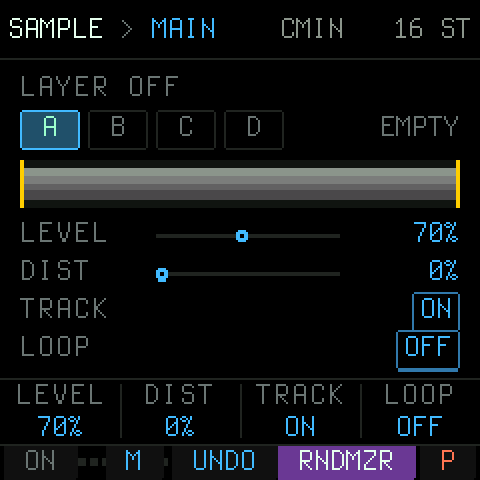
- Four sample slots of your own sounds, per step or as a layer, sent from the computer with
tools/fm1_samples.py.
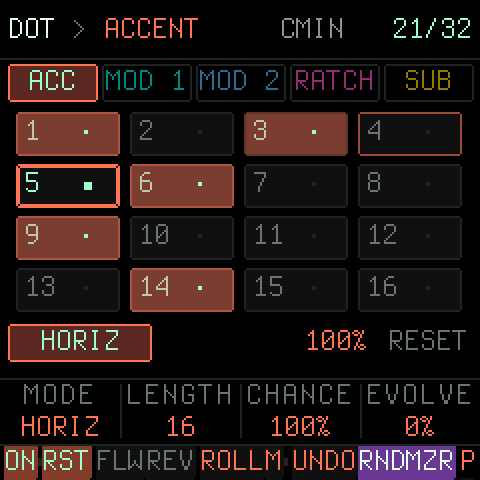
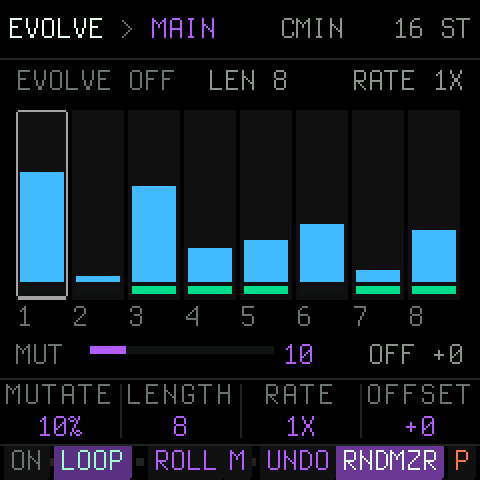
MOVEMENT · DOT and EVOLVE
- DOT reads five 4 × 4 matrices along a route (horizontal, spiral, random, walk...): accents, ratchets, the sub and two modulation lanes.
- EVOLVE, a Turing-machine register, mutates as it plays and bends the gate, the filter, the octave, the decay and two sound destinations; a negative depth inverts.
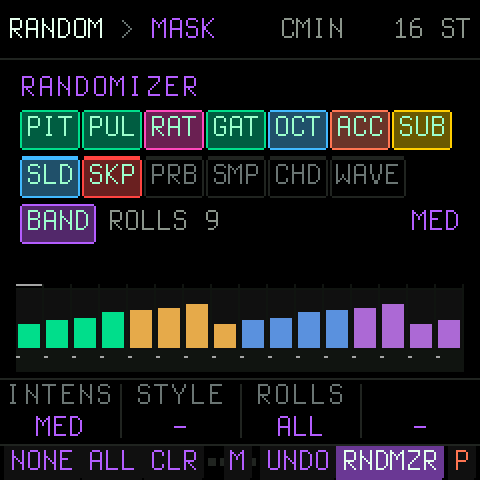
RNDMZR · happy accidents
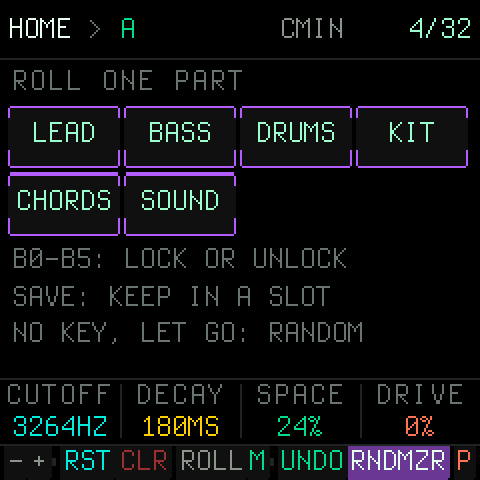
- LOW, MED and HIGH roll the lead, raw. MUSICAL rolls a phrase, not noise; GROOVE the same with rolls, ties and ghost notes.
- On those two, a tap rolls the whole band in a style: the melody, the bass line, the beat, the chords and some of the sound, never the tempo.
- Parts can be locked; UNDO takes a roll back whole, and UNDO held brings back the band before each of the last three.
THE EFFECTS · distortion, delay, reverb
- A distortion with character and tone, before or after the delay.
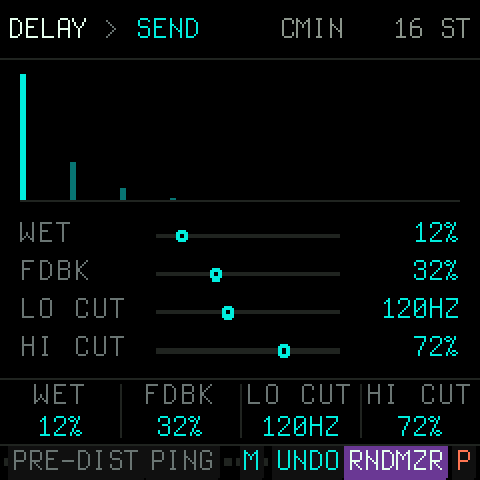
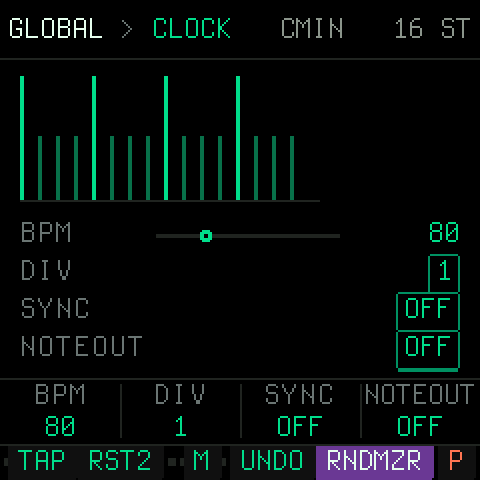
- A delay on the beat (32nds to a bar, triplets and dotted, up to 2.97 s) or free, with PING and its own filters.
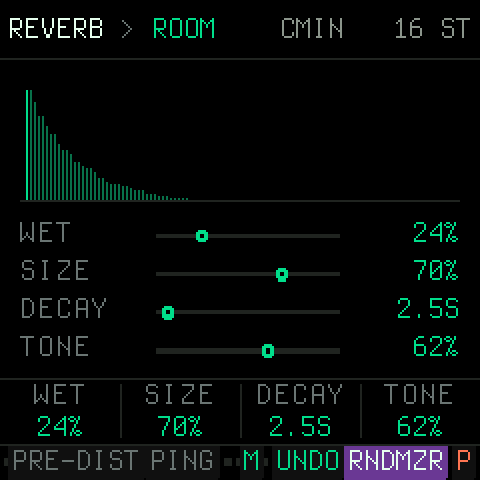
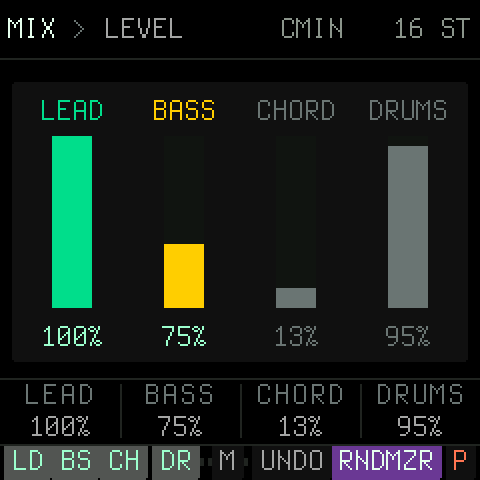
- A reverb with size, decay, pre-delay and tone; every part has its own sends on MIX.
The styles
- AMBIENT
- DUB
- TRIPHOP
- TECHNO
- ACID
- ELECTRO
- BREAKS
- IDM
- HOUSE
- DEEP
- MINIMAL
- JUNGLE
- DRONE
- OUTRUN
- GLITCH
With RNDMZR on MUSICAL or GROOVE, a tap rolls the whole band in one of them, its name shown as it lands; on ANY, a new one each time, never the one before. Each sets the band's levels as it rolls, so every style plays at about the same loudness. Held, RNDMZR and a white key roll one part again in the style that plays.
Perform
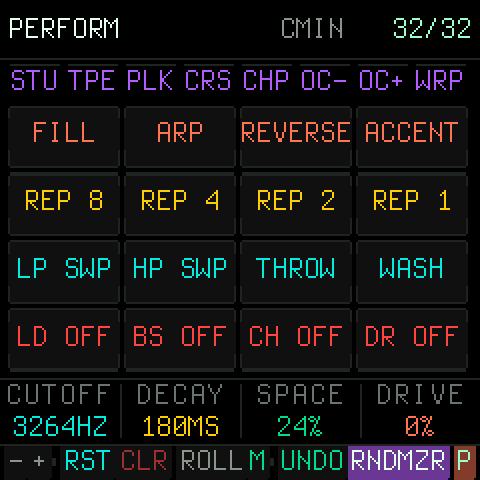
- FILL · ARP
- A snare roll that builds, the bass and chords on every step · the lead's note as an arpeggio
- REVERSE · ACCENT
- What was heard, backwards, from the press · every note and hit accented
- REP 8 4 2 1
- The last 8, 4, 2 or 1 sixteenths round and round, the drums, bass and chords with them
- LP SWP · HP SWP
- A filter over the whole mix, closing in 1.5 s; both held, a band gliding down
- THROW · WASH
- Everything into the delay, or into the reverb, its tail ringing on when let go
- LD BS CH DR OFF
- The parts' mutes, latched on the next beat
- STU TPE PLK CRS
- Stutter, tape stop, everything plucked short, bits and rate crushed
- CHP OC− OC+ WRP
- The mix chopped in time, an octave down or up, a worn tape's waver
Tap PERF, the last black key, and the keys are the performance: held, together as you like, K1 turning a held black key's amount. They keep time: every part moves on underneath, so letting go lands where it would have been.
The panel
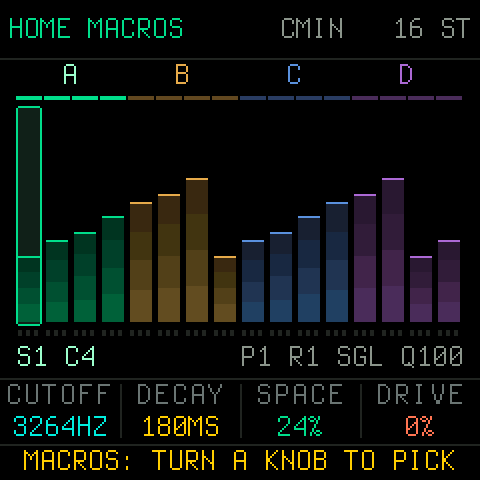
| HOME | The sequence, the four sound macros, the performance keys. From anywhere. |
| SEQ ENV LFO FX ARP SEL GLO | The sections: the sequence, the lead's sound and samples, the movement, the effects, the band, the key, the mix. Again: the next page. Held: the section's pages on the white keys. |
| ALGORITHM · SELECT | The page in the section · the layer in the page. On HOME: the randomizer's intensity · the tempo. |
| K1–K4 | The layer's four values, always musical, never navigation: the screen's footer names them. |
| PRESETS | On HOME: the pattern slot, switched on the next bar. |
| White keys | Positions: steps, cells, bits, slots, chords. A tap toggles what sits on the key and picks it. |
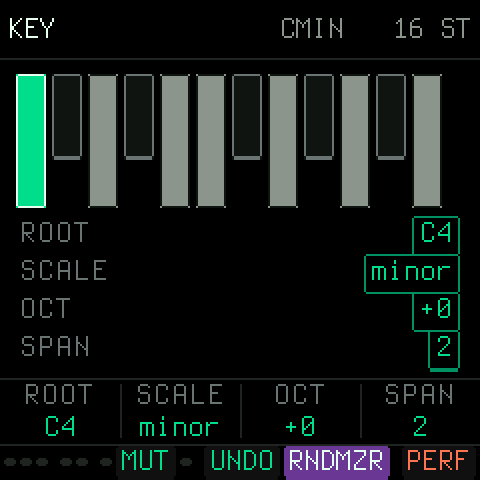
| Black keys | The action rail, the same on every page: B0 ON, the page's own keys, B6 MUTATE, B8 UNDO, B9 RNDMZR, B10 PERF. |
| OCT− · OCT+ | The step bank past 16, the octave in KEYS. |
| PLAY · REC | Start and stop, the LED on the beat · record where you are, stopped a step at a time or live in time. |
| SAVE · EDIT | Save to flash (held: the 16 slots) · the page's mode (held on HOME: MACROS). |
Every page's knobs and keys are in the manual, and pictured row by row in the UI map, generated from the code.
Connected
- MIDI in over USB and the FM-1's TRS jack, and clock in and out: on SLAVE it follows clock, start, continue and stop.
- Notes out for the lead and the bass on their channels, the chords on the lead's, the drums on channel 10 as General MIDI.
- The sound as a USB audio input on the computer.
- The big screen: the FM-1's screen large on a computer, tablet or phone with FM-1 Mirror, nothing to set up.
- Samples: a WAV into one of four slots over USB-MIDI with
tools/fm1_samples.py. - Projects in flash, in two banks with checksums, so a cut power never loses more than the last edit.
More
- The source on GitHub, with the manual, the decisions and the plan.
- The original SkurkyMello, the browser instrument the firmware is a port of.
- Download the firmware file (
.fwsc), to install it another way (tools/fm1_install.py). - Try the firmware without an FM-1: open the file in fm1-emu, the FM-1 emulator, in the browser.